Gefahr des Datenverlustes!
Mit diesem Zertifikat können Sie Mails digital signiert versenden und/oder verschlüsselt senden bzw. empfangen.
Beachten Sie unbedingt, dass verschlüsselte Mails ohne das dazugehörige Zertifikat nicht mehr lesbar sind!
Auch wenn dieses bereits abgelaufen ist, wird es weiterhin benötigt!
Sie haben keinen Einfluss darauf, ob andere Ihnen verschlüsselte Mails senden. Heben Sie das Zertifikat (insbesondere den privaten Schlüssel) und das dazugehörige Passwort verlustsicher auf.
Das ITS kann Ihnen nicht helfen, wenn privater Schlüssel und/oder Passwort verloren gehen, verschlüssele Mails sind dann unwiderruflich verloren und können auch nicht mehr gelesen oder aus einen Backup wiederhergestellt werden.
So können Sie Ihre Mails digital signiert mit Apple Mail unter macOS versenden:
1
Um signierte Mails versenden zu können, benötigen Sie:
- Ihr persönliches Zertifikat und das dazugehörige Passwort (Anleitung hier)
- Apple Mail (vorinstalliert unter macOS), eingerichtet mit Ihrem Uni Bayreuth Mail-Account (Anleitung hier)
2
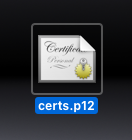
3
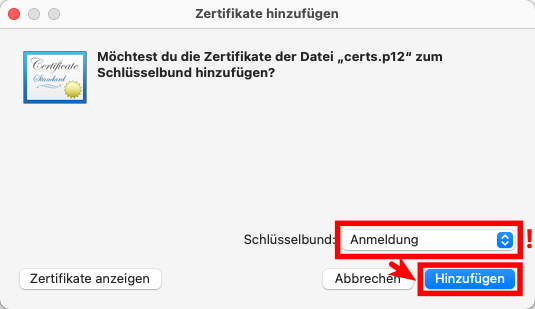
Wählen Sie bei Schlüsselbund: Anmeldung aus (!) und klicken Sie dann auf Hinzufügen.
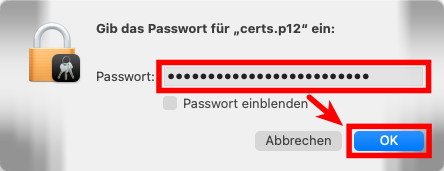
4
5
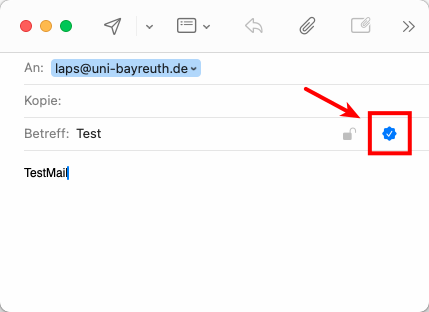
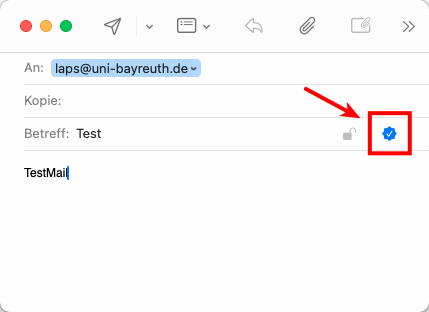
Öffnen Sie jetzt Apple Mail und verfassen Sie eine neue Mail von Ihrer Uni-Mailadresse. Sollten Sie hier rechts neben Betreff einen blauen Haken sehen, so ist die Einrichtung hiermit abgeschlossen, die Mails werden ab sofort signiert verschickt.
Falls nicht, fahren Sie bitte fort.
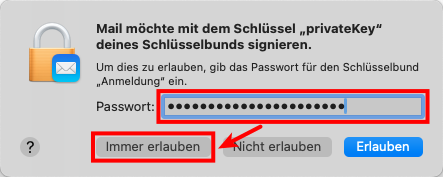
Möglicherweise werden Sie von Apple Mail nach dem Passwort für Ihren Schlüsselbund gefragt, hierbei handelt es sich üblicherweise um das Anmeldepasswort für Ihren Mac. Geben Sie es wenn nötig ein und klicken Sie auf Immer erlauben.
6
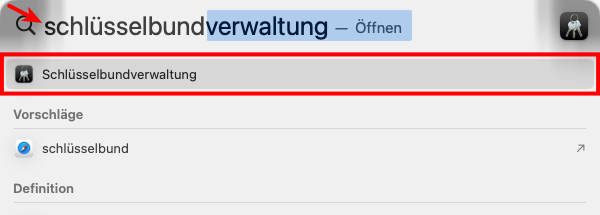
Überprüfen Sie also zunächst die Mail-Adresse in Ihrem Zertifikat. Öffnen Sie hierzu die Schlüsselbundverwaltung, z.B. indem Sie Cmd + Leertaste drücken, Schlüsselbund eintippen und anschließend auf Schlüsselbundverwaltung klicken, sobald es erscheint.
Die Mail-Adresse in Ihren Zertifikat ist die Standard-Mailadresse, die zum Zeitpunkt der Zertifikatserstellung im ITS Portal eingestellt war.
7
8
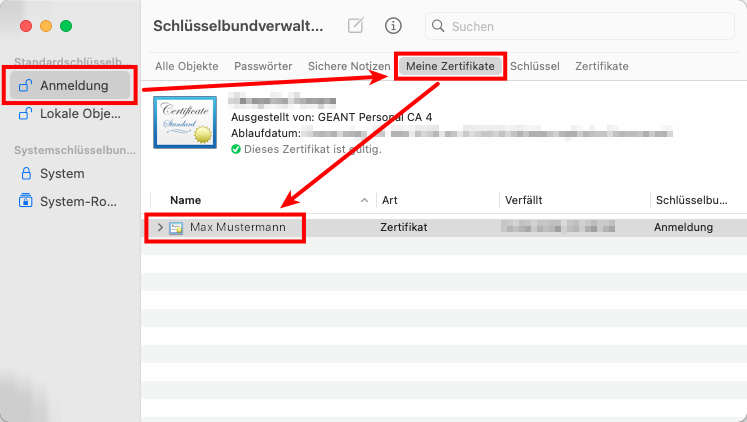
9
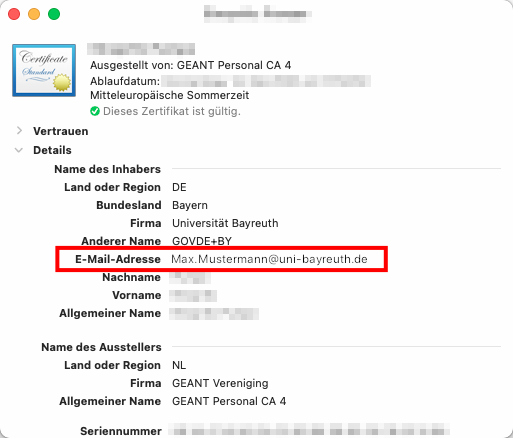
10
Klicken Sie nun oben auf Mail -> Einstellungen.
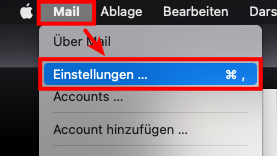
11
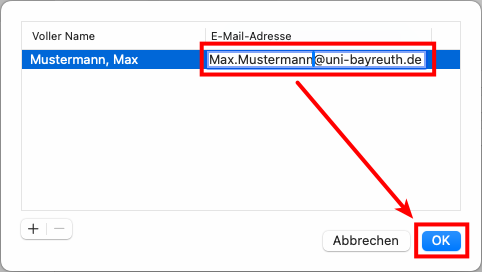
Prüfen Sie nun, ob die Adresse neben E-Mail-Adresse mit der aus Ihrem Zertifikat exakt übereinstimmt. Falls nicht, klicken Sie auf sie und wählen Sie E-Mail-Adressen bearbeiten...
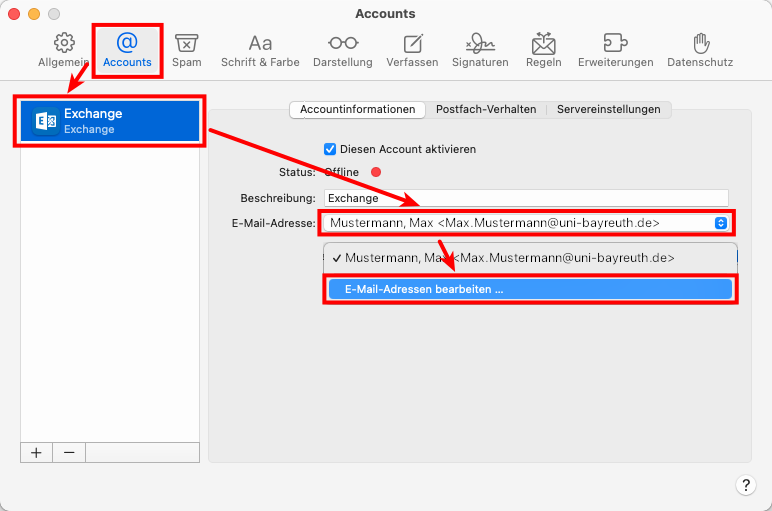
12
13
Sagen Sie uns die Meinung - hat alles geklappt?
Laptopsprechstunde
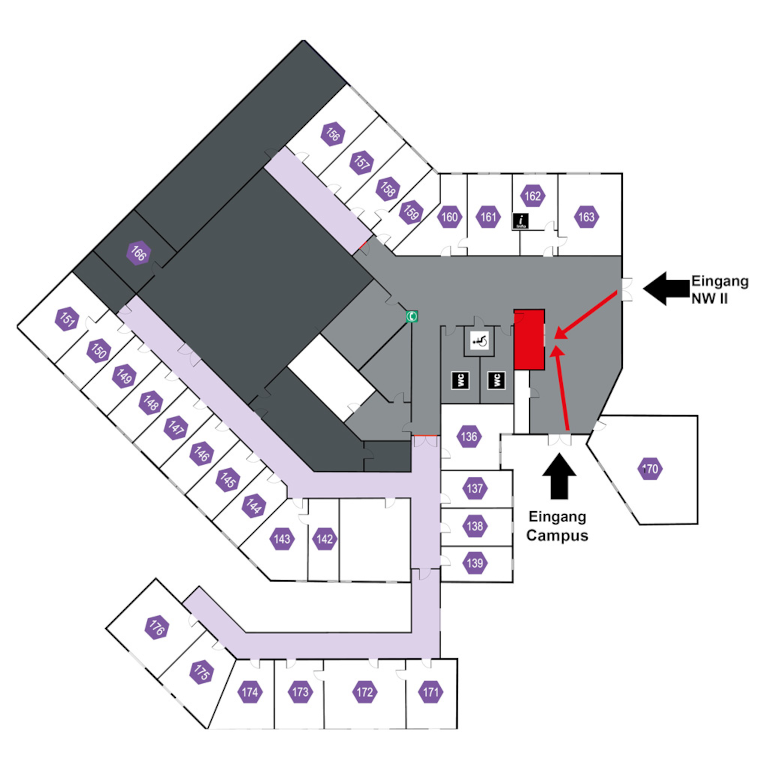
IT-Servicezentrum Raum 3.2.U1.131 (Schalter im ITS Flur)
Öffnungszeiten: (ganzjährig, außer während der Weihnachtsschließung)
Mo-Fr 08:30 - 11:00 Uhr
Mo-Do 13:30 - 15:30 Uhr
Keine Terminvereinbarung erforderlich!
Mail: laps@uni-bayreuth.de